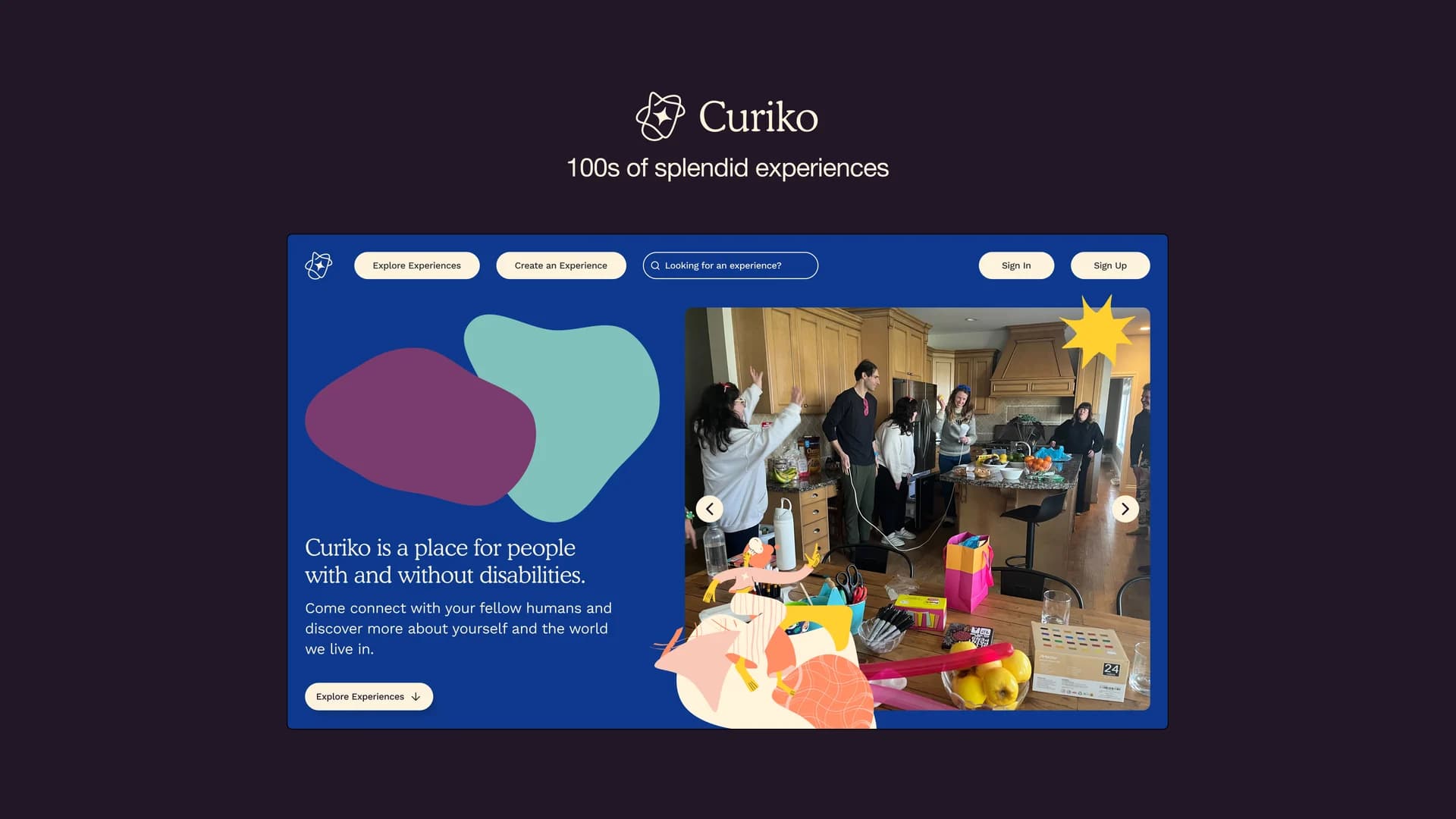
Curiko builds community for neurodivergent people in Vancouver. I worked on making in-person experiences discoverable alongside online ones, then adapting that journey for mobile.
I was a UX design intern in 2023–2024, working with a design lead, a service designer, and a developer. My work covered user research, research documentation, wireframes, and prototypes for an existing community platform. The screens here document that design work. In 2026, Curiko wound down operations because of a lack of funding for community organizations from the BC Government.
Overview
Make meeting in person part of discovery.
After the pandemic, Curiko planned to introduce in-person experiences. That changed what someone needed to know before choosing an activity: where it happens, whether they can get there, and how it fits into their day. With online experiences, someone only had to know what time the event happened. Now, they have to factor in travel time and costs.
I needed to bring the new format into the existing Explore page while keeping its interconnected components understandable on a smaller screen.
Solution
Choose how to take part before narrowing the results.
The redesigned Explore page puts Online, All experiences, and In-person together above the results. Experience cards identify their format and host, with interest, format, and time filters nearby. Someone can browse across formats or start with the way they want to participate.
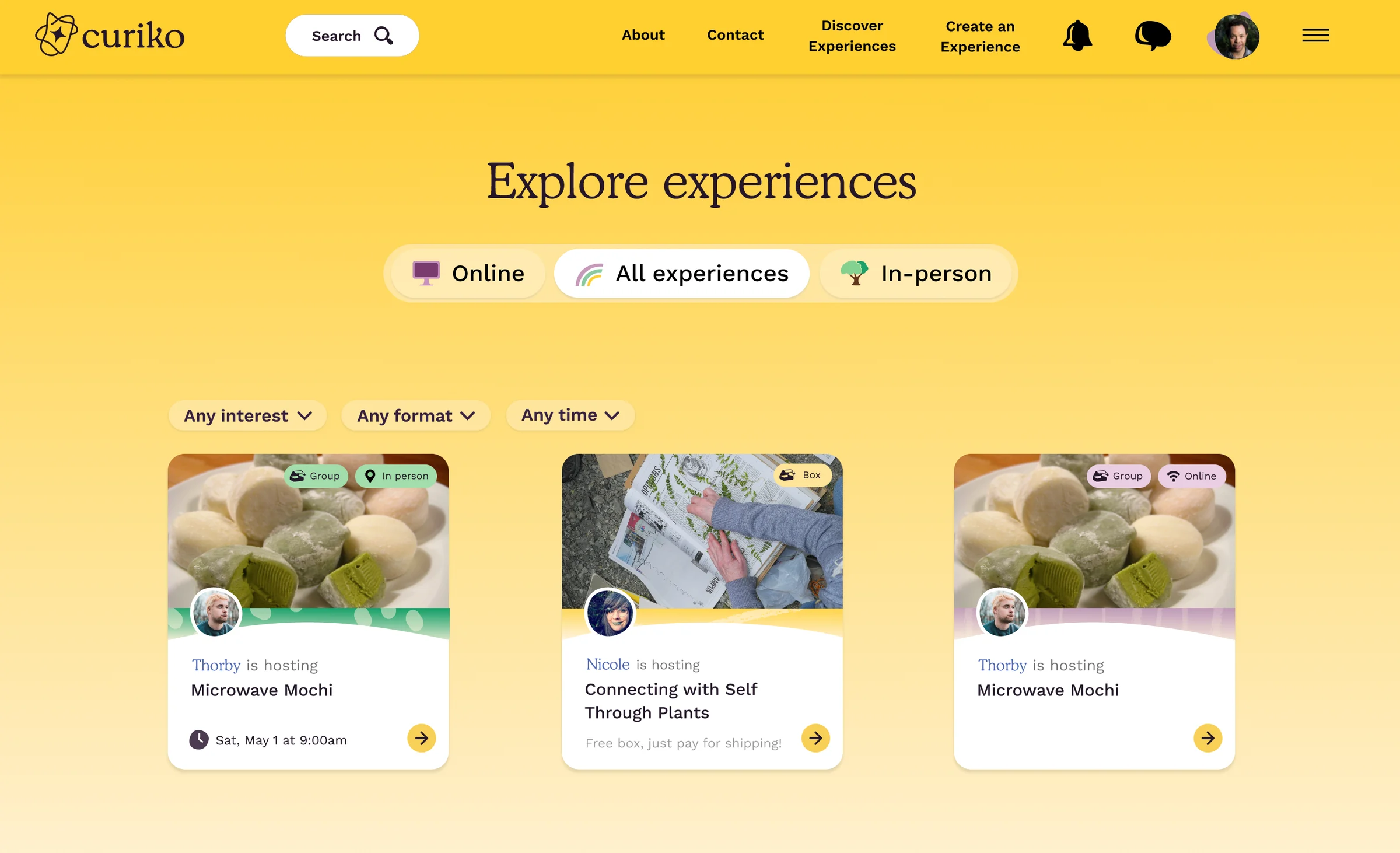
The All experiences view keeps the different ways to participate in one discovery flow.
Selecting In-person brings location into the view. The desktop design places experience cards beside a map, with a location control above them. This makes geography part of choosing an experience because the location of an event can greatly impact someone's decision to sign up.
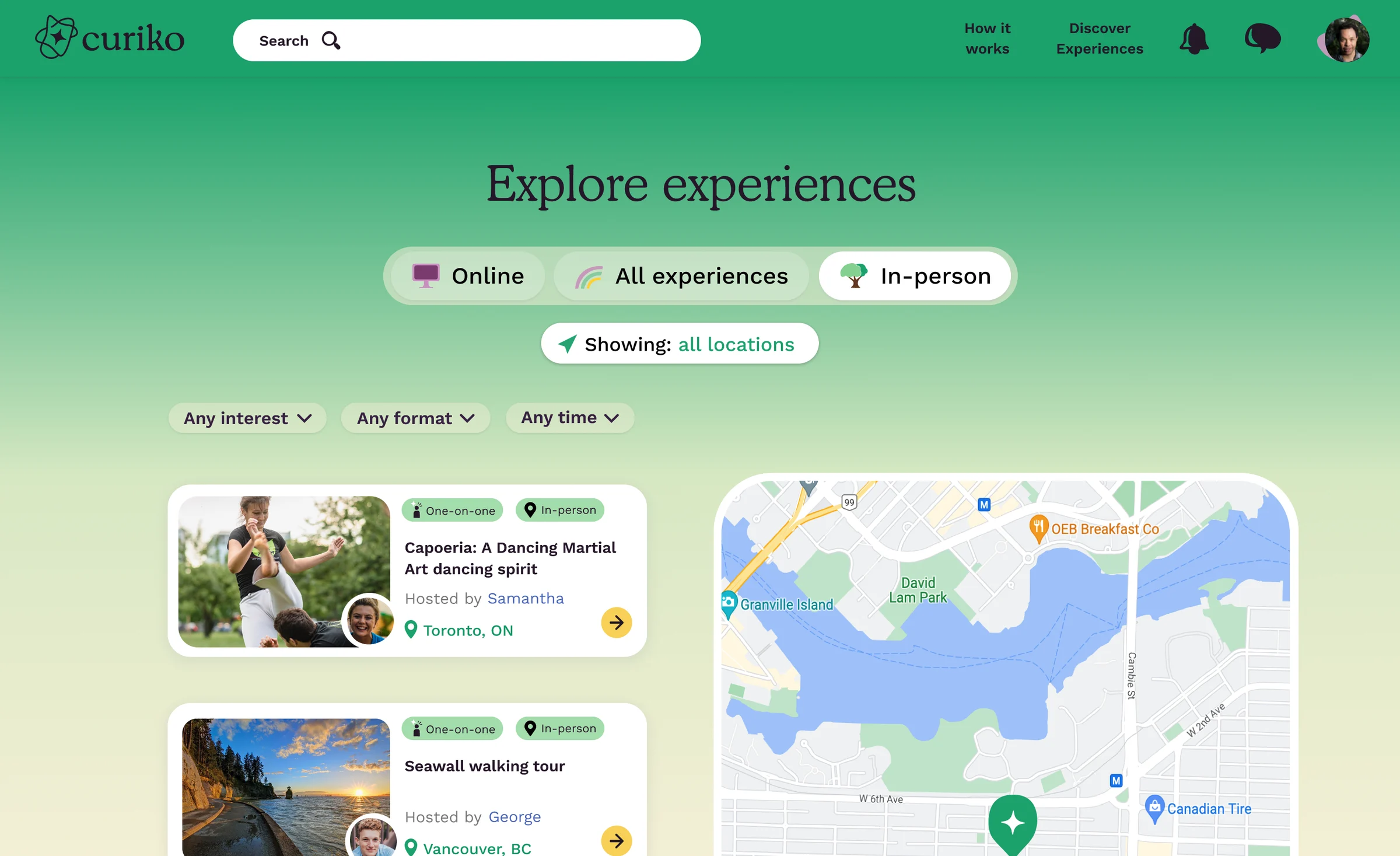
The In-person view pairs the list with a map. The locations shown are prototype content.
Research
Test with the people already using and hosting experiences.
I held Zoom interviews with current users and hosts while testing mid-fidelity desktop prototypes. I chose qualitative sessions because I needed to understand how people interpreted the new controls and what information they needed to choose an experience. A completion count alone would not explain why a map marker was confusing or why the page felt crowded. Zoom also lets me record and transcribe the sessions for later analysis, which was helpful during the analysis.
I synthesised observations into design actions and checked back with the community so we could rest assured that we were representing their words accurately.
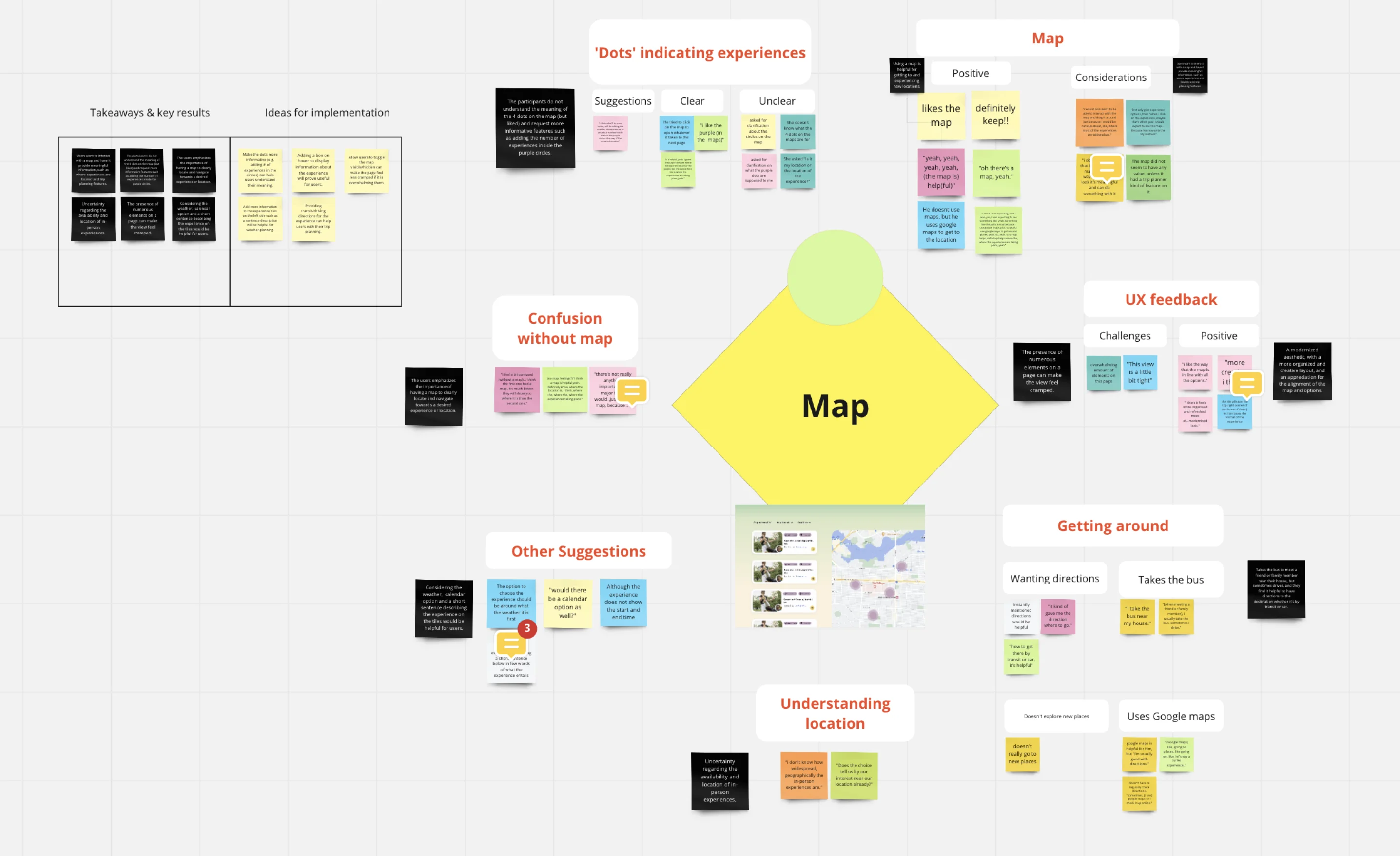
The synthesis keeps participant observations beside the themes they informed.
A map needs to explain more than where a dot sits.
Participants wanted the map to provide meaningful location information, but some did not understand the four dots in the prototype. Interviews also recorded uncertainty about where in-person experiences were available and general feedback that the page felt cramped.
The team translated these observations into possible responses: clearer marker information, experience details on hover, a way to hide the map, and directions for trip planning. These were ideas for implementation; the saved screens do not establish that every idea was built.
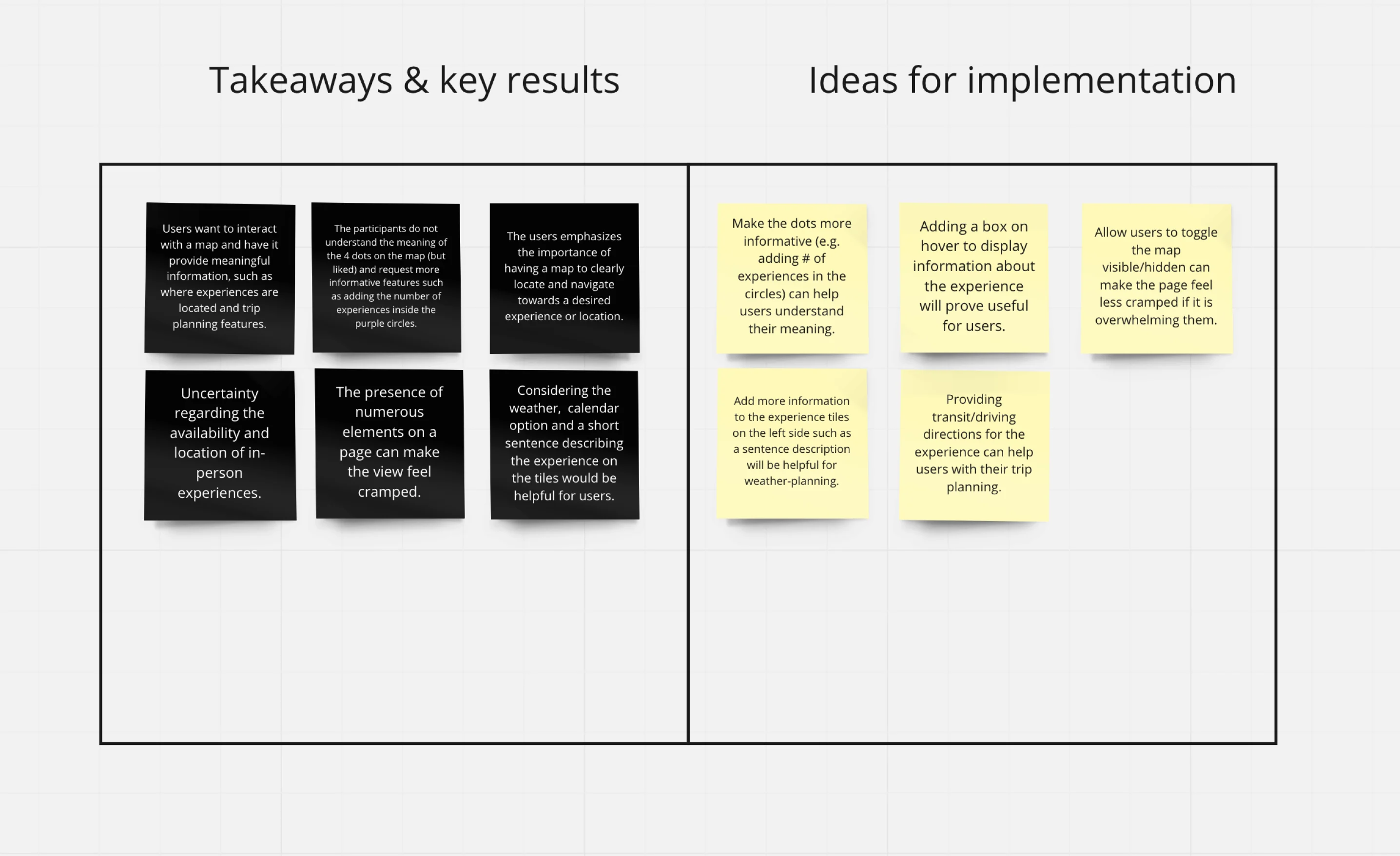
Separating takeaways from implementation ideas helped us keep the evidence distinct from a proposed solution.
Process
Keep location useful without letting the map take over.
Keeping a map answered participants' need to understand location. Letting people hide it was one way to address the competing concern about density. Removing it entirely would lose that location context; keeping it permanently visible could leave too little room for the experiences themselves. The final desktop design shown here retains the list and map together.
I explored layout, copy, colour, and spacing while checking scope with my PM and design lead in weekly syncs. The iteration board includes colour alternatives and screen-size explorations. Those variations helped us work through the presentation; they are not evidence that each direction was tested with participants.
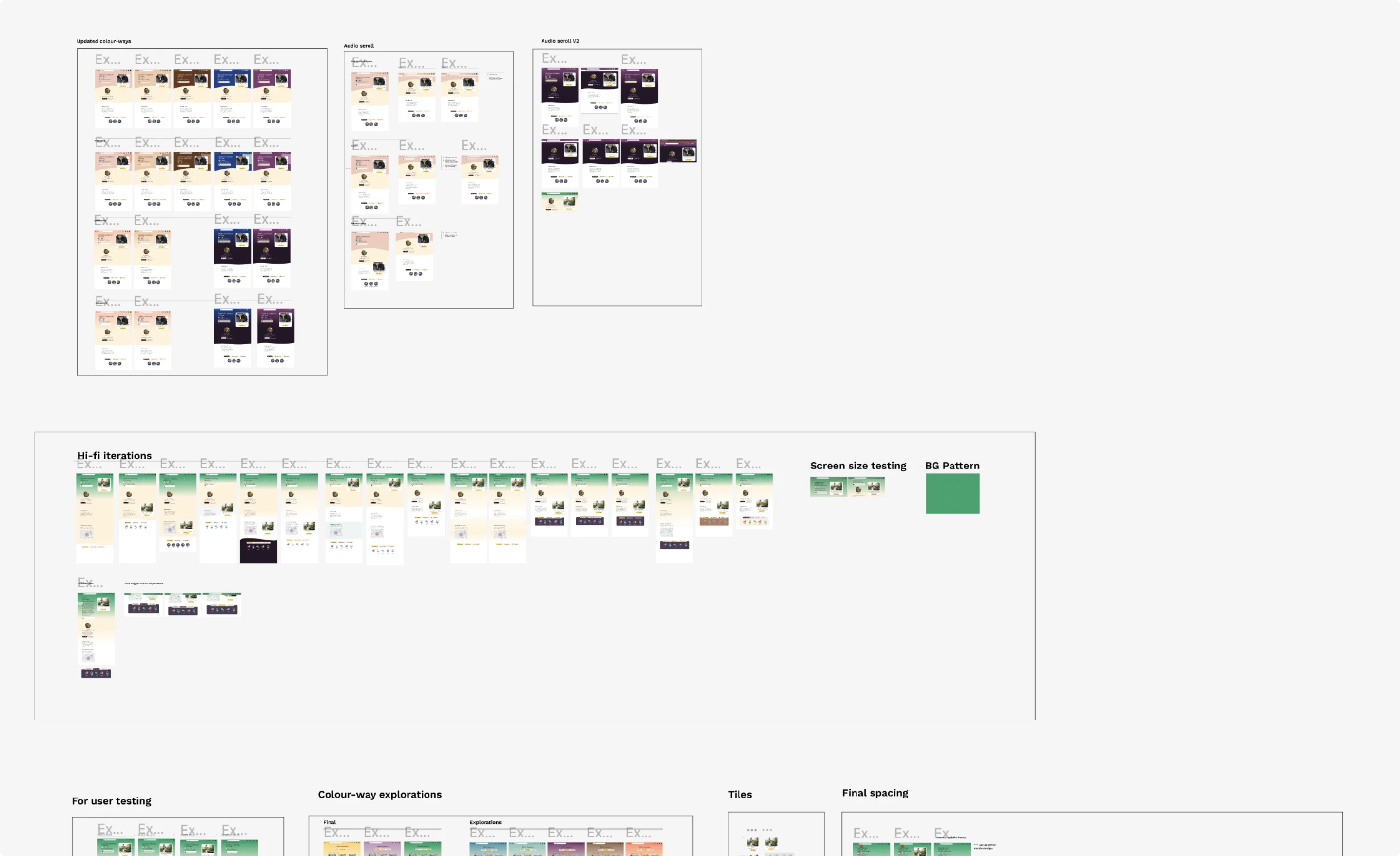
The board records the design alternatives, including changes to colour and information density.
Adapt the hierarchy for mobile.
The mobile explorations stack information rather than squeezing the desktop layout onto a phone. Online, All, and In-person remain prominent, while additional filters sit behind a single control. Images and illustrations support the labels, and I used larger type and stronger colour contrast with readability in mind.
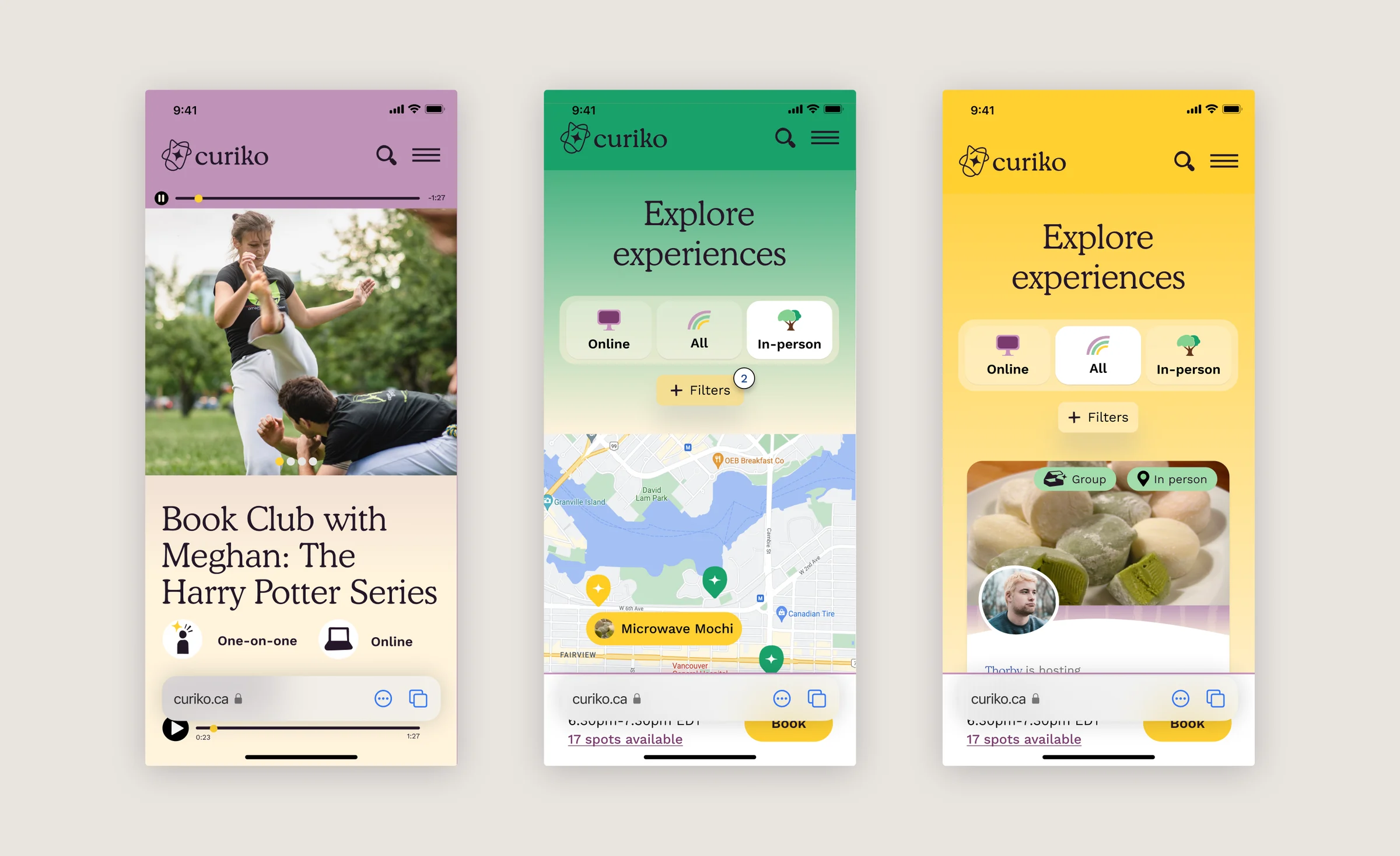
The mobile designs retain the participation choices while changing how the map, filters, and cards share space.
Reflection
Finding an experience includes imagining the journey there.
The interviews made the gap between seeing an activity and being able to attend it concrete. A map could help someone choose, but only if its markers and surrounding information made sense to them.
I would next test the list and map together on a phone, including the proposed option to hide the map. The unresolved question is how much location information helps someone make a decision before it begins to crowd out the experience itself.